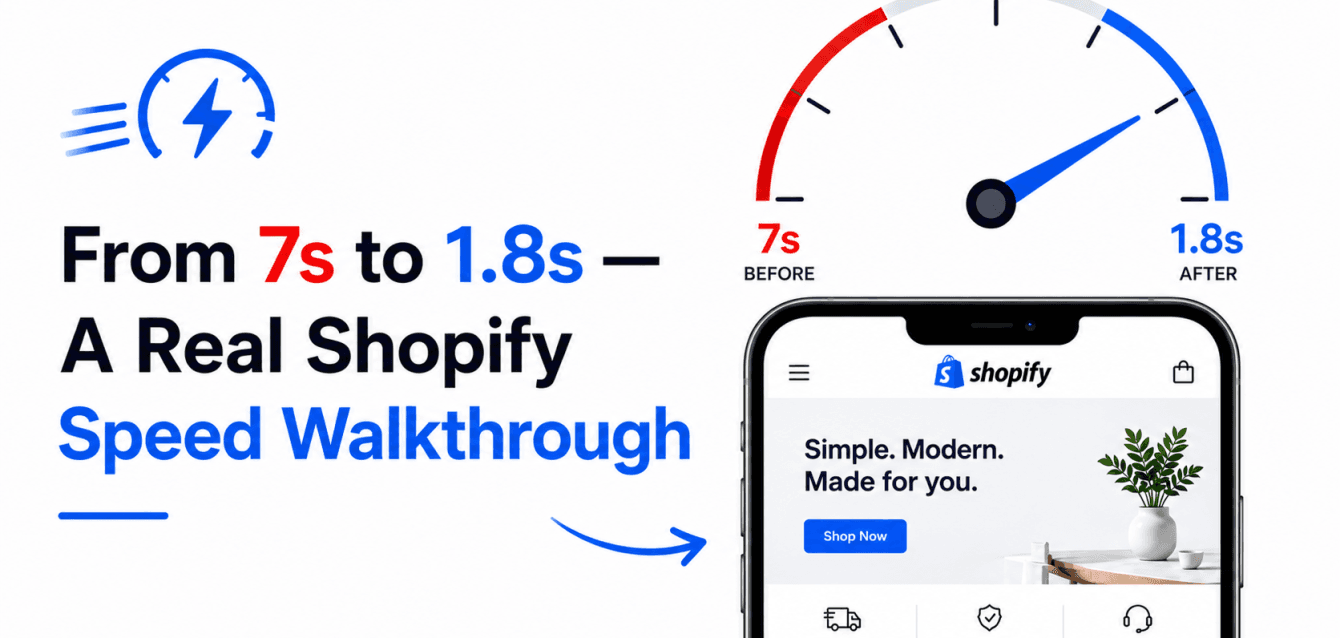
A Shopify Plus store doing about £2.4M in annual revenue contacted SynthWeb in week 1 of an Ecom Sprint with a problem most ecom founders eventually face: their site was taking 7 seconds to load on mobile, their Lighthouse score was 31, and their conversion rate had dropped 18% over the previous quarter. Fourteen days later, half the Ecom Sprint window load time was 1.8 seconds, Lighthouse was 84, and conversion was recovering. This post walks through every change made, in priority order, so you can replicate the audit on your own store.
We have intentionally not named the client. The numbers are real. The methodology is the same one we use on every Ecom Sprint engagement and is replicable on any Shopify or Shopify Plus store.
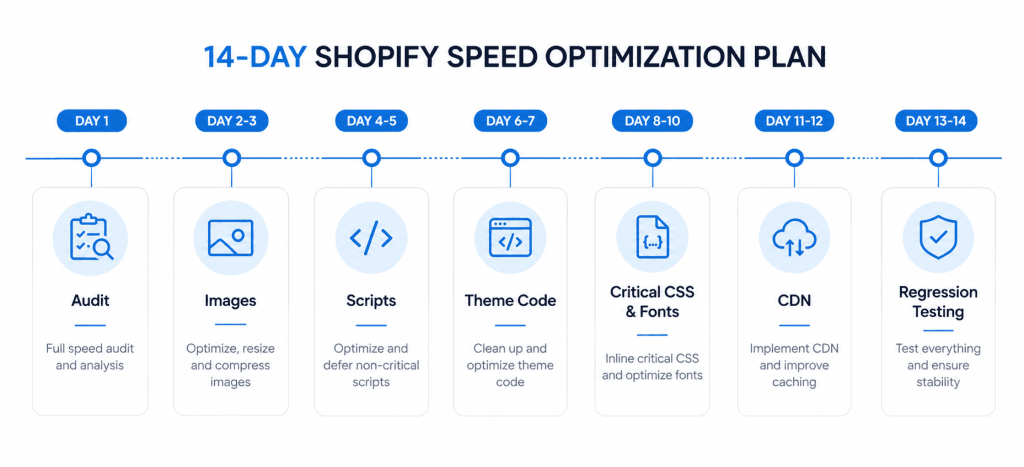
Day 1: the audit
Before changing anything, we run a baseline audit using PageSpeed Insights, Webpage Test, and Shopify’s own Online Store Speed Report. We test on three device profiles: iPhone 12 simulating 4G, Android mid-range simulating 3G, and desktop on broadband. We capture three runs per profile and average them single runs are noisy and misleading.
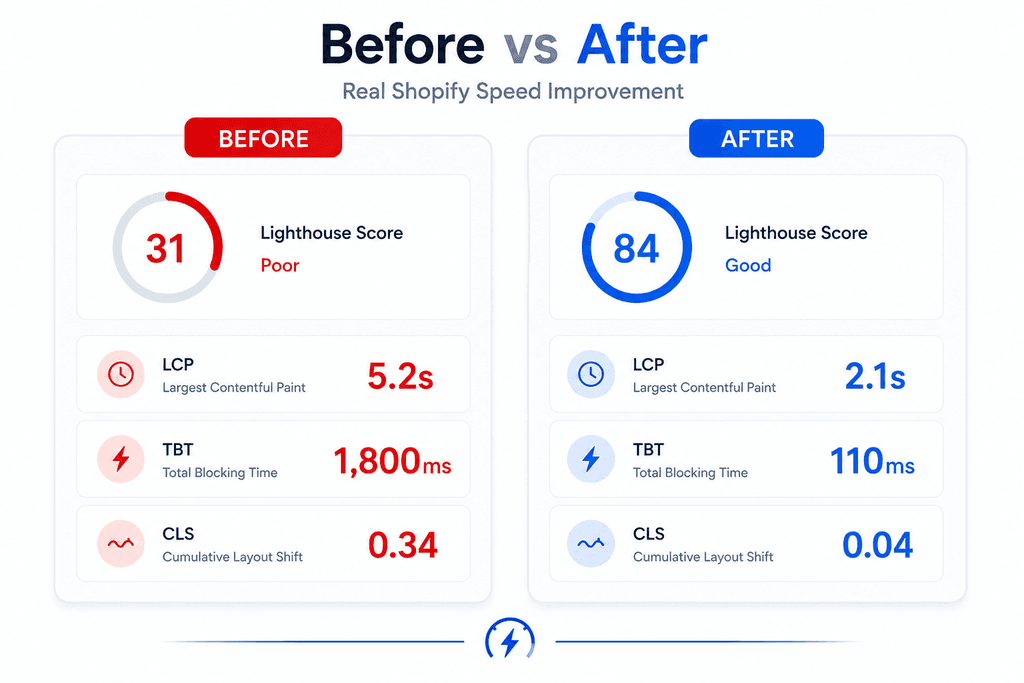
The baseline numbers we found: Time to Interactive 6.8s on mobile, Largest Contentful Paint 5.2s, Cumulative Layout Shift 0.34, Total Blocking Time 1,800ms. These metrics are closely related to Google’s Core Web Vitals, which measure real-world user experience and increasingly influence search visibility and conversion performance. All four metrics in the “poor” range. The story those numbers told: too many third-party scripts, oversized images, render-blocking CSS.
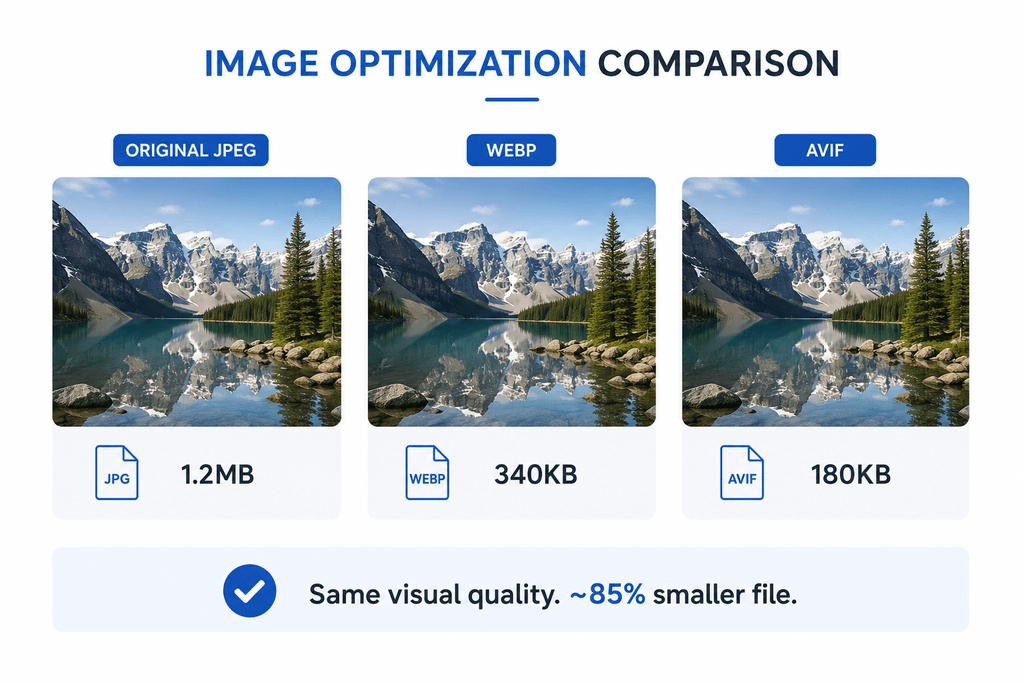
Day 2-3: the image cleanup (biggest single win)
The store had 47 hero and product images served as JPEG at 1920px wide, regardless of device. We converted everything to WebP with AVIF fallback, set up Shopify’s responsive image attributes (srcset and sizes), and lazy-loaded everything below the fold. We replaced the homepage hero video with a poster image and a “Tap to play” interaction — the autoplay video was costing 2.4 seconds of LCP on mobile alone.
Result after image cleanup: LCP dropped from 5.2s to 2.9s. This single category of fix delivered roughly 50% of the total speed improvement.
Day 4-5: third-party scripts audit
The store was loading 23 third-party scripts on every page: multiple analytics tools, three review platforms, two abandoned-cart recovery services, four heatmap and session-recording tools, plus the usual chat widget and ad pixels. We removed 9 scripts that were no longer being used or actively monitored, deferred 6 scripts to load after first interaction, and async-loaded the remaining 8.
Result: Total Blocking Time dropped from 1,800ms to 290ms. The site began responding to user input immediately even while supporting scripts continued loading in the background.
Day 6-7: theme code cleanup
The custom theme had accumulated 4 years of edits, with redundant CSS rules, unused JavaScript files, and inline styles overriding stylesheet rules. We extracted the actual styles being rendered using Chrome DevTools coverage, removed unused CSS, minified everything, and consolidated three separate stylesheets into one. JavaScript got the same treatment — removing 110KB of unused code.
We also deferred Shopify’s app embed scripts using Shopify’s web pixel manager, which centralised the event tracking and removed about 200KB of duplicated tracking code.
Many of these optimizations align with Shopify’s own performance best practices documentation, which recommends minimizing unused code, reducing render-blocking resources, and improving asset delivery.
Day 8-10: critical CSS and font loading
We extracted the critical CSS for the homepage, product pages, and checkout into inline styles in the page head, while async-loading the remaining stylesheet. This eliminated the render-blocking CSS that was costing about 800ms.
Custom fonts were the other render-blocking issue. We added font-display: swap to all custom font declarations, preloaded the two most-used font weights, and dropped two weights that were being downloaded but never used in the actual page rendering. Font loading flash reduced; perceived load time noticeably improved.
Day 11-12: server-side and CDN tuning
Shopify handles most server-side performance natively, but we tuned what was tunable: enabled Brotli compression at the CDN edge (it was off), set aggressive cache headers on static assets, and moved a few Liquid template loops that were running on every page render into Shopify metafields with cached output.
Day 13-14: regression testing and final measurement
Two days of cross-device, cross-browser, cross-network testing. We caught and fixed three regression bugs introduced by the script reordering — a tracking pixel that was firing twice, a cart drawer that opened with a delay, and a search autocomplete that was mis-triggering on iOS Safari. Final numbers: Time to Interactive 1.8s, LCP 2.1s, CLS 0.04, TBT 110ms, Lighthouse score 84.
Speed improvements alone are valuable, but site performance is only one part of the conversion equation. Even a fast-loading store can lose revenue if customers encounter friction during checkout. After completing Shopify speed optimization, we recommend reviewing our guide on Shopify checkout optimization to identify additional opportunities to improve conversion rates and reduce cart abandonment.
Conclusion
This project is a good reminder that Shopify speed optimization is rarely about a single fix. The biggest improvements came from a combination of image optimization, third-party script cleanup, theme code refactoring, critical CSS implementation, and ongoing testing across devices.
In just 14 days, the store’s mobile load time dropped from 7 seconds to 1.8 seconds, its Lighthouse score improved from 31 to 84, and key Core Web Vitals metrics moved into a much healthier range. More importantly, the site became noticeably faster for real customers, creating a smoother shopping experience and supporting conversion recovery.
If your Shopify store feels slow, start with a structured audit rather than isolated tweaks. In most cases, the issues affecting performance are already hiding in plain sight oversized assets, unused apps, render-blocking resources, and years of accumulated theme changes.
At SynthWeb, this is the same Shopify speed optimization framework we apply during every Ecom Sprint engagement, helping eCommerce brands identify performance bottlenecks, improve user experience, and unlock growth opportunities without a complete redesign.
FAQ
Can you do this on any Shopify store? Yes — every store has different baseline issues but the same methodology.
How much does a speed audit cost? Included in our Ecom Sprint ($8K-$15K, 6 weeks). Standalone speed audit available on request.
What about WooCommerce or Magento? Same methodology, different implementation. WooCommerce typically needs more attention to PHP-side caching.
Will speed improvements last? Yes if you maintain discipline. We provide a checklist and CI integration to catch regressions before they ship.