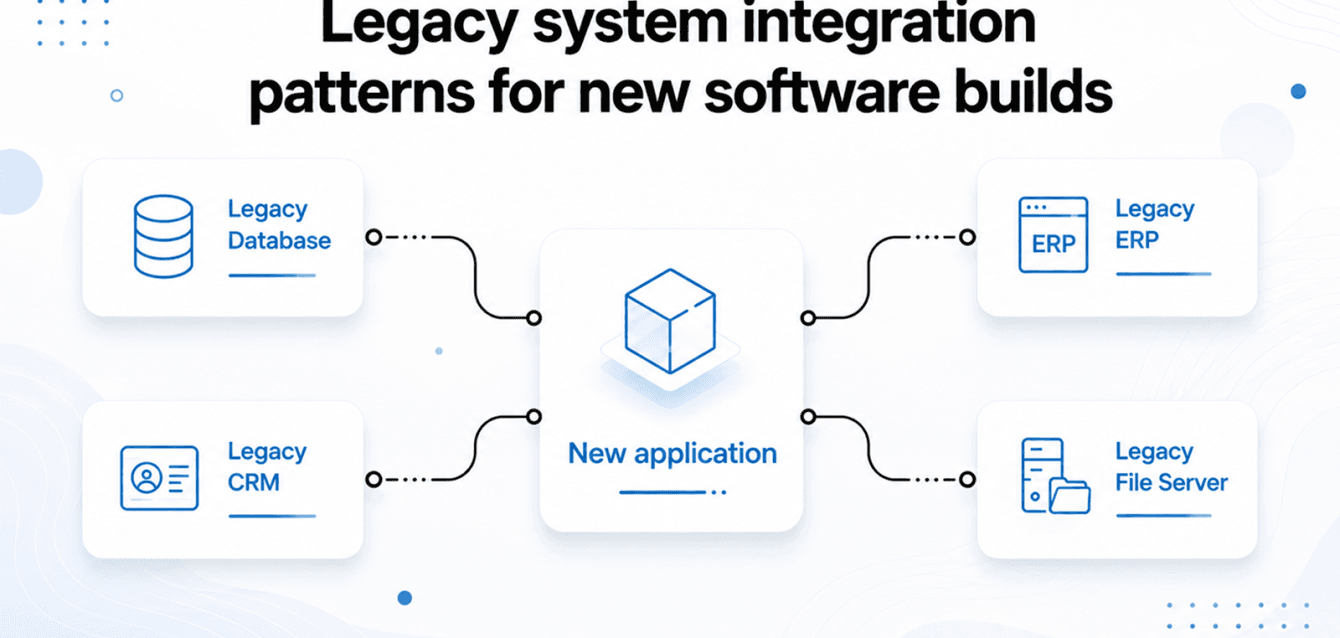
Legacy System Integration is one of the biggest technical challenges growing software companies face. At SynthWeb, roughly 30 percent of our Product Engineering Solutions engagements begin with legacy system integration in sprint one. The client has a new product — a customer-facing app, an internal dashboard, a reporting layer — and it needs to talk to a system that was built a decade ago by someone no longer at the company. There is no API documentation. There is no test environment. There may not even be a clear point of contact who knows how the old system works.
This is not an unusual situation. It is the normal situation. And the pattern for handling it reliably is not clever engineering — it is choosing the right integration pattern before writing a line of code.
Pattern 1: Legacy System Integration through REST APIs
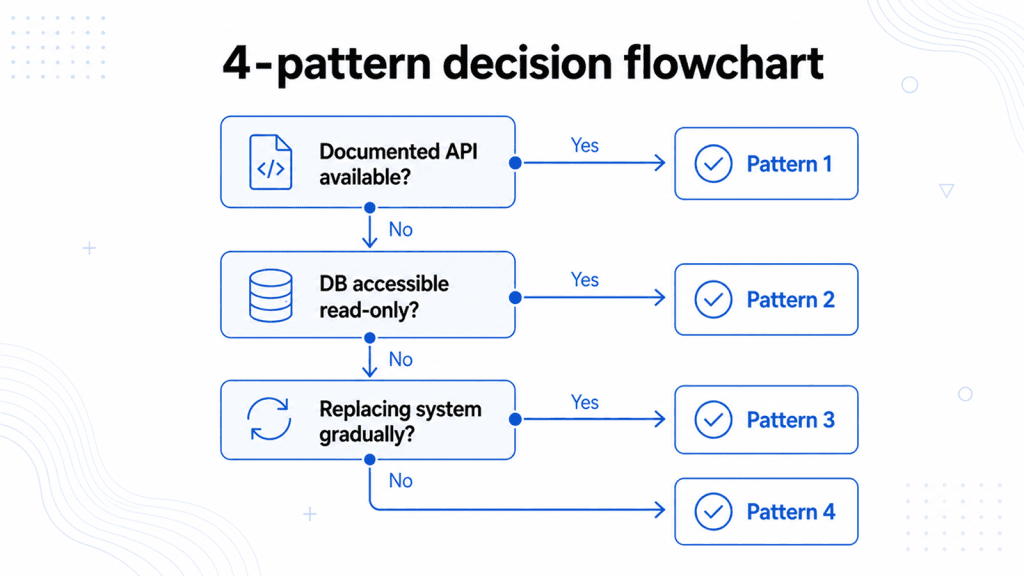
The best case. The legacy system has a documented API, credentials are available, and the endpoints cover the data you need. The approach: build a thin adapter layer that translates between the legacy API’s data format and your new system’s domain model. This keeps the coupling contained — if the legacy API changes, only the adapter changes, not the whole application.
Timeline: one to two weeks. The risk is that the API documentation is out of date, which it usually is. Always build a test harness against the live API before estimating—the documentation and the actual behaviour are often different. This approach is also consistent with AWS application modernization guidance, which recommends validating integrations early to reduce deployment risk. This is mistake number one that turns a two-week integration into a six-week one.
Pattern 2: Legacy System Integration through Database Read Access
No API. The legacy system owns a database that you are allowed to read. The approach: create a read replica or direct read access, identify the tables you need, and replicate the relevant data into your new system’s schema on a scheduled basis. Your new system owns its own copy of the data and does not depend on the legacy system’s availability for normal operation.
Timeline: two to four weeks, depending on schema complexity. The constraint is that you cannot write back to the legacy database — this pattern is read-only. For bidirectional sync, you need pattern 3 or a purpose-built integration layer.
Pattern 3: Legacy System Integration using the Strangler Fig Pattern
The legacy system is being replaced gradually. New functionality goes into the new system. Existing functionality stays in the legacy system until it can be migrated. A routing layer directs traffic to the right system based on what is being requested. Over time, the legacy system handles less and less until it can be decommissioned. This migration strategy follows the Strangler Fig Pattern described by Martin Fowler.
Timeline: three to twelve months, depending on scope. This is the pattern used in our Freight Alliance case study — a logistics aggregation platform that had to connect to multiple carrier systems simultaneously, each with a different integration pattern, while gradually replacing legacy carrier management functionality. The strangler fig let us ship production value in sprint two while migrating legacy data in parallel over six sprints.
Pattern 4: File-based / SFTP
The legacy system cannot provide an API and you cannot access the database. But it can export a CSV or XML file on a schedule. The approach: ingest the file, parse the format, and load it into your system’s data model. Inelegant, reliable, and often the only option for older ERP and accounting systems.
Timeline: one to two weeks. The risk is format instability — if the legacy system changes its export format without notice, your integration breaks silently. Build format validation on every import and alert on deviation.
The 3 mistakes that turn 2 weeks into 2 months
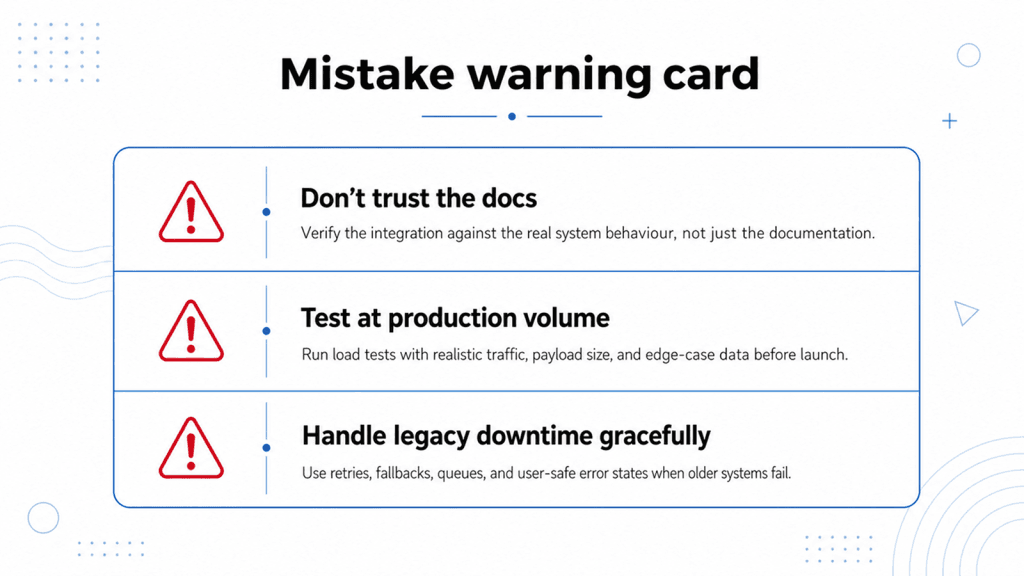
First: trust the API documentation without testing live. The documentation describes what the API was supposed to do, not what it does today. Build a test harness against the production endpoint on day one. Second: ignore rate limits until production. Many legacy APIs have rate limits that are only enforced at production traffic levels. Build rate limit handling into the adapter before launch. Third: no circuit breaker or graceful degradation. Legacy systems go down. Your new application should handle the legacy system being unavailable without crashing or losing user data. This requires explicit error handling and a fallback state.
Many legacy modernisation projects begin with integration before moving into full-scale application redevelopment. Learn more about our Custom Software Development services and how we modernise enterprise software while maintaining compatibility with existing systems.
FAQ
How do you determine which pattern to use? A week-one technical audit covers this. We access the legacy system, assess what interfaces are available, and recommend the integration pattern before sprint planning. This typically takes two to three days.
Can you integrate with a system you have never seen before? Yes. The four Legacy System Integration patterns above cover almost every integration scenario. The specifics of the system change the implementation; the approach does not change.
What if the legacy system cannot be accessed at all? Manual data migration, scoped separately as a one-time project before the build begins.